
Saves Hours of Manual Writing
Generate 100 lines of imposition writing in seconds — not an hour. Export as PDF and you are done.


Handwriting Repeater is a free browser-based tool that automatically generates repeated handwritten sentences on a digital canvas — no printing, no software download, and no sign-up required. It is used by thousands of students and teachers across the UK to complete imposition writing, practise cursive letter formation, and produce neat handwriting practice sheets in seconds.
Handwriting Repeater is a straightforward online tool that takes the effort out of repetitive handwriting practice. Whether you're a Year 7 pupil working through a set of imposition lines, a primary school teacher looking for a quick way to generate practice sheets, or an adult wanting to brush up on your cursive, this tool was built with you in mind. Type your sentence, choose your pen style and page layout, press play — and watch it write itself out, line after line, exactly as you need it.
Handwriting Repeater is a free, browser-based handwriting practice tool built specifically for students, teachers and parents in the UK — though it is used by learners all over the world. At its core, the tool lets you type any sentence and watch it replay on a lined digital canvas in a realistic handwritten style. You control the pen type, ink colour, page layout and writing speed. When you are happy with the result, you can save it as a PDF, take a screenshot, or print it directly.
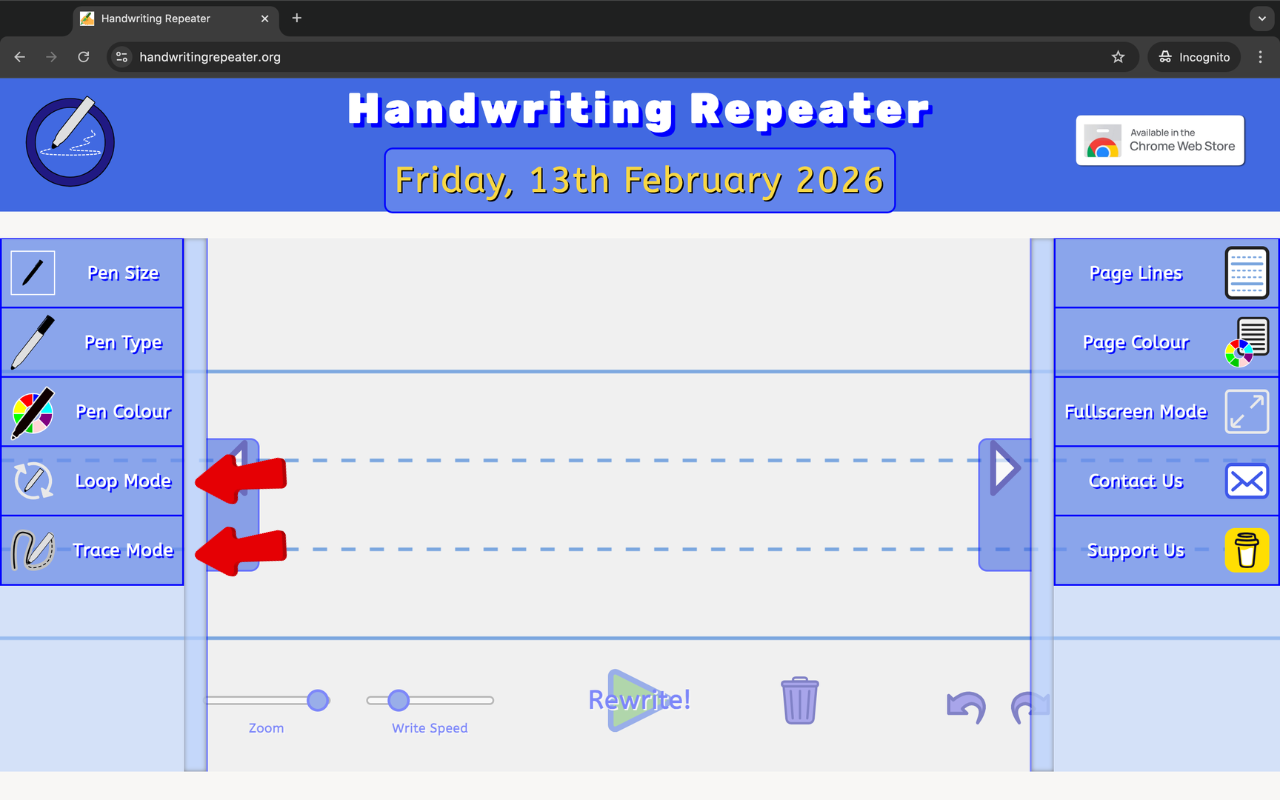
What makes it genuinely useful — rather than just a novelty — is the combination of Loop Mode and Trace Mode. Loop Mode fills the page automatically with repeated lines, which is perfect for imposition tasks or bulk practice. Trace Mode overlays a faded guide text that you can follow with your finger or stylus, making it an effective tool for younger children learning proper letter formation for the first time. Together, these two modes cover the full spectrum from quick-task completion through to careful, structured practise.
Research from the University of Stavanger and other institutions consistently shows that handwriting by hand strengthens memory encoding, improves reading speed, and supports spelling development — particularly in primary school children. While Handwriting Repeater is a digital tool, it keeps the pen-on-paper feel alive in a way that typing on a keyboard simply cannot. For pupils working towards the joined-up handwriting expectations of the KS2 curriculum, or adults who have fallen out of the habit of writing by hand, regular practice with a tool like this genuinely makes a difference over time.
The platform also works well in a classroom setting. Teachers can use the Type Text feature to pre-load a sentence from a lesson, project the tool on a whiteboard, and guide the class through correct stroke order and letter joins in real time — something that static worksheets cannot offer. Students can then replay the same writing on their own devices to practise independently. It is a small shift, but one that teachers who have tried it tell us they find surprisingly effective.
Want to know more about how handwriting practice can benefit your child? Read our guide: How to Teach Handwriting to Kids in a Fun and Stress-Free Way.
Open the left sidebar and choose your Pen Size (small, medium or large), Pen Type (pen, pencil, quill or none), and Pen Colour from eleven ink options. These settings let you mimic the look of your own handwriting — or try something completely different. Younger children tend to get on best with a large black pen, while older students practising cursive often prefer a medium nib in blue or dark green.
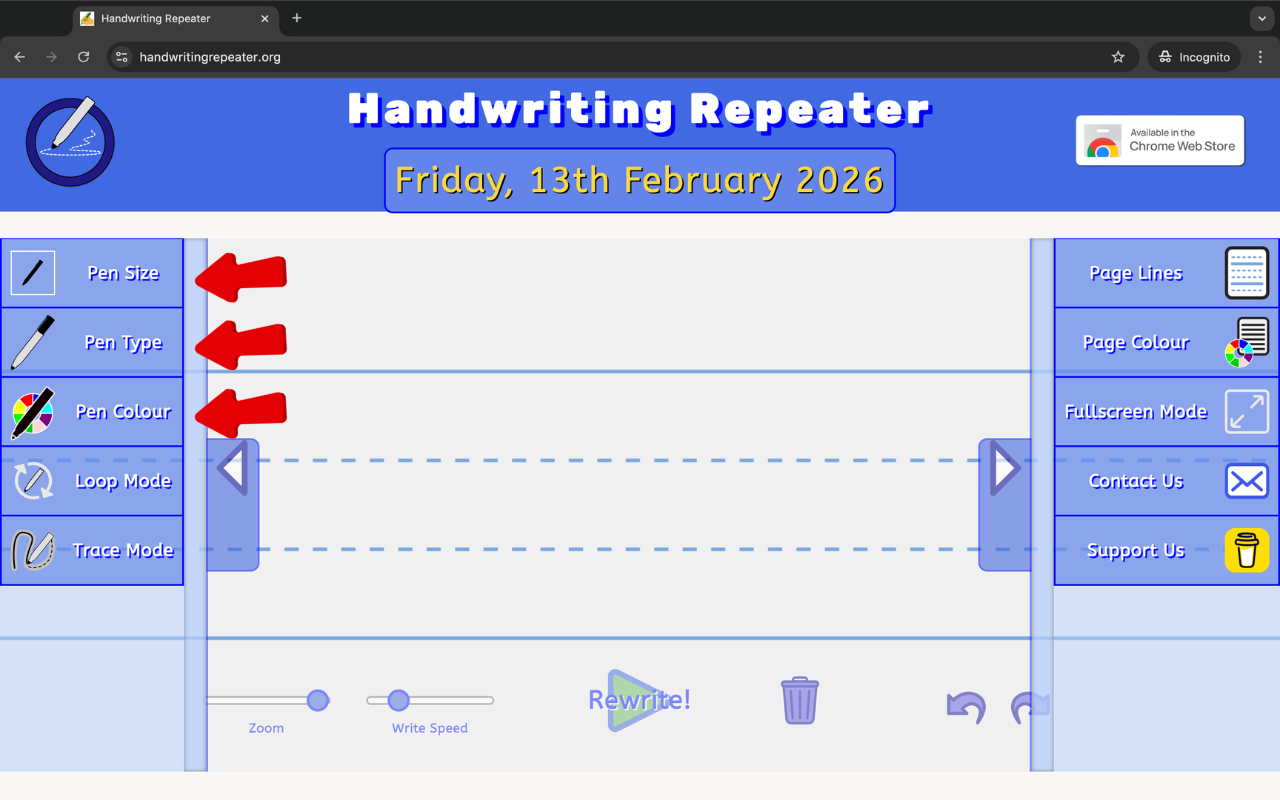
Still in the left sidebar, select your writing mode:
You can also enable Share Link to copy a URL that pre-loads your exact settings — useful if a teacher wants to send a specific practice task to students.
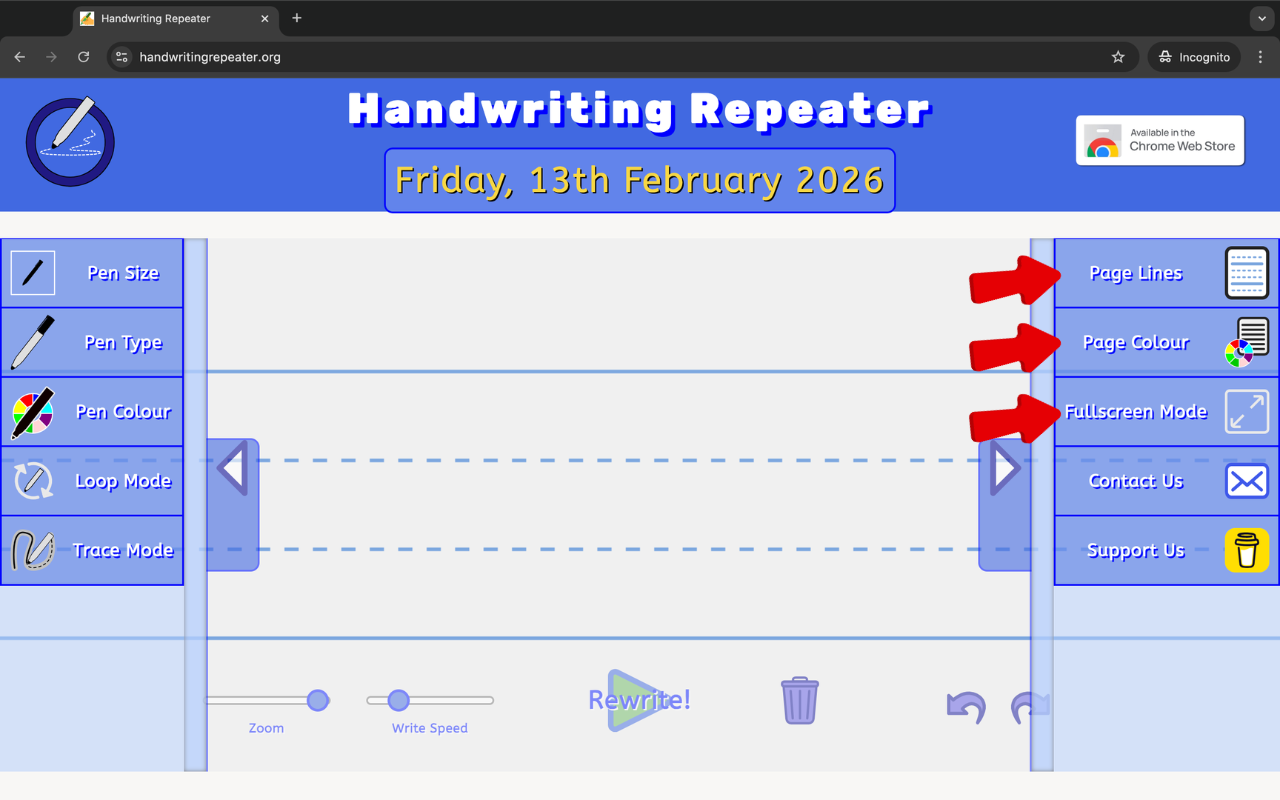
Open the right sidebar to customise the look of the page. Choose from ten Page Line styles — including dotted lines, tram lines, Montessori-style four-line guides, and plain blank. Then pick a Page Colour: white, peach, yellow, blue or blue-grey. Students with dyslexia or visual stress often find that a peach or yellow background reduces eye strain noticeably.
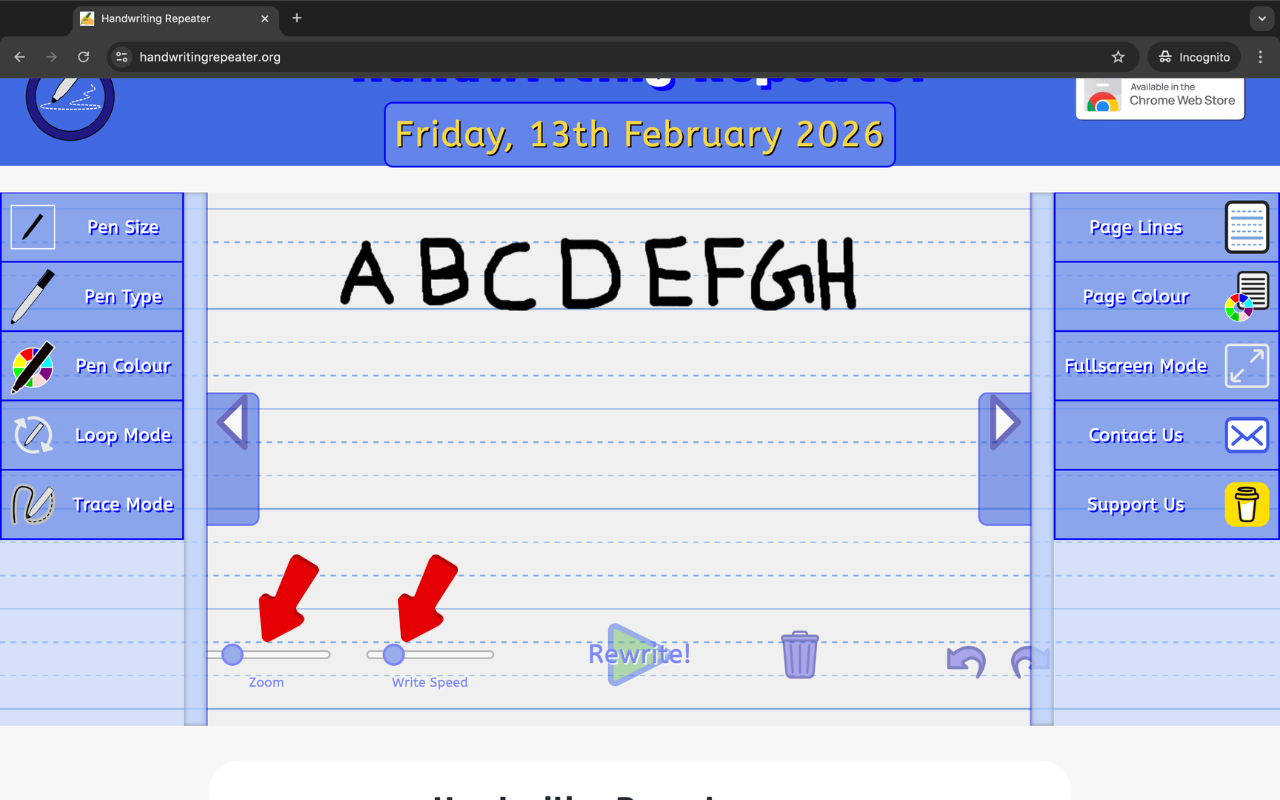
Use the two sliders at the bottom of the screen. Zoom controls how large the writing appears on the canvas — zoom in to check letter detail, zoom out to see a full page. Write Speed controls how quickly the handwriting animates: a slower speed looks more natural and is better for Trace Mode, while a higher speed generates lines faster if you simply need to fill a page quickly.
Click the Type Text button on the right sidebar to open the text panel. Type your sentence, choose how many times to repeat it, select a font style (including cursive and calligraphy options), and press Place Guide Text. Then hit the big Rewrite button and watch it go. You can also choose from preset templates — the full A–Z alphabet, numbers, cursive joins, calligraphy practice, and signature styles.
Once you are happy with the result, use the Capture menu on the right sidebar to:
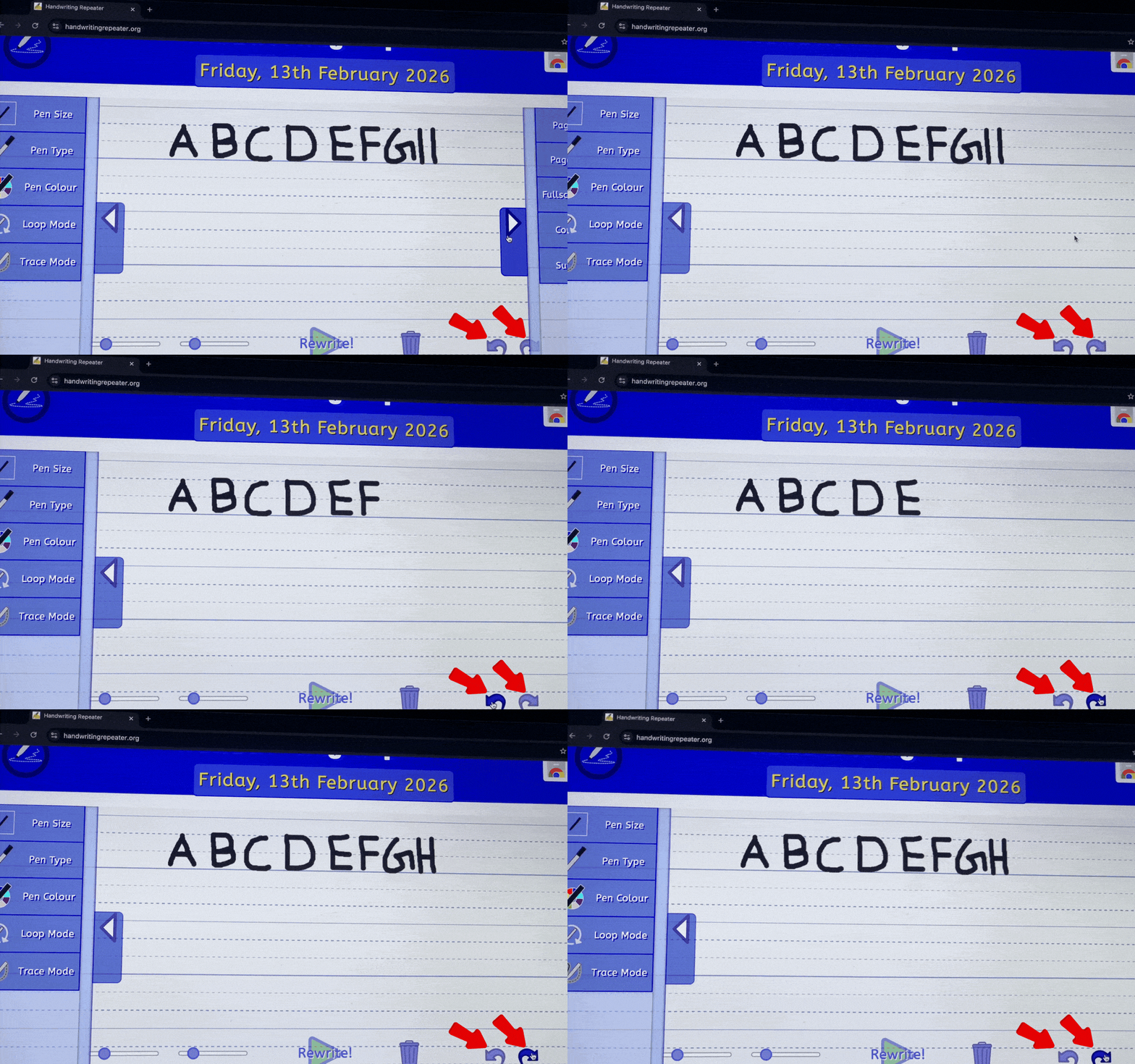
If you make a mistake at any point, use the Undo/Redo buttons, or press the Trash icon to clear the canvas and start again.
Handwriting Repeater was designed to be genuinely useful, not just impressive-looking. Every feature was chosen because real students and teachers actually need it — not because it was technically interesting to build. Here is what the tool offers and why each part matters.
Three pen sizes, four pen types (including a realistic quill effect), and eleven ink colours give you fine control over how the handwriting looks on screen. This matters because matching the appearance of your own writing style makes practice feel more natural and keeps motivation higher. It also means teachers can set a specific pen configuration that matches what students are expected to use in class.
Loop Mode continuously repeats the chosen sentence across the canvas without any interaction. This is the tool's most-used feature, primarily because it solves the very specific problem of school imposition writing — the task of writing the same line 20, 50, or 100 times as set by a teacher. Rather than spending an hour hunched over a notebook, students can generate the required lines in minutes, then copy them or submit the PDF directly. It also works well for timed handwriting drills in class.
Trace Mode places a light, faded version of the guide text behind the canvas for you to trace over. This is particularly well-suited to KS1 and early KS2 pupils who are still developing muscle memory for letter shapes and joins. By following the guide, children internalise correct stroke direction and letter proportions without needing a teacher to stand over them. Parents doing home education also find this feature invaluable for structured daily handwriting sessions.
The Type Text panel lets you choose from seven font styles — including Dancing Script for cursive joins and Great Vibes for calligraphy work — and offers ready-made templates for the full alphabet, numbers, and signature practice. This is especially useful in the classroom, where a teacher can pre-load the exact sentence from a lesson without students needing to type anything.
Ten different lined backgrounds cover the full range of UK school requirements: dotted midline guides for early writing, red-and-blue tramlines common in primary schools, four-line Montessori-style guides, square grids, and plain blank canvases. Selecting the right line style for the learner's stage makes a practical difference to how well they can control letter height and spacing.
Slowing the writing speed down to its lowest setting creates a remarkably natural-looking handwriting animation — useful when demonstrating stroke order on a classroom projector. The zoom control lets students inspect their letter detail up close or step back to see how the whole page is filling up.
A full dark mode reduces screen glare for students who find bright white backgrounds uncomfortable, particularly during evening study sessions. It pairs with the coloured page backgrounds to give a wide range of contrast options.
All three export options are available from the Capture menu. The PDF export is the most useful for school submissions or home printing, as it produces a clean, full-resolution document that prints well on A4 paper.
The Share Link feature generates a URL that encodes your current pen settings, page style, and typed text. This means a teacher can configure a specific task once and share a single link with the whole class — every student opens the link and the tool is already set up and ready to go.
Handwriting Repeater is a genuinely broad tool — it was designed with one simple use case in mind but quickly found an audience across several groups. Here is who uses it most, and why.
This is the most common use case by far. Many UK secondary schools still set imposition lines — writing a sentence 20, 50 or 100 times — as a sanction or a practice task. For students, that used to mean a long and tedious session at the kitchen table. Handwriting Repeater generates those lines in a fraction of the time, producing a realistic handwritten result that can be saved as a PDF and submitted the next day.
Teachers at KS1 and KS2 level use the tool to quickly create bespoke handwriting practice sheets. Rather than searching for a pre-made worksheet that is almost right, they can type exactly the word or sentence they need — perhaps a tricky spelling from this week's list — and export it in seconds. Several teachers have told us they use the classroom projector to demonstrate letter joins in real time, then share the link with students so they can practise on their own devices.
Parents helping children with homework, or families home-educating their children, find Trace Mode particularly useful for daily handwriting drills. The ability to choose the exact line style and letter size means the practice can be closely matched to whatever the child's school or curriculum requires. There is no cost, no subscription, and no setup — which matters when you are already managing a busy household.
Plenty of adults want to improve their everyday handwriting — whether that is for personal satisfaction, professional reasons (writing notes in meetings, signing documents), or because they want to develop a calligraphy or hand-lettering hobby. The cursive and calligraphy font options, combined with Trace Mode, give a structured way to practise styles that most of us never formally learned. Read our blog post on 10 Simple Tips to Improve Your Handwriting for more guidance.
The coloured page background options — particularly peach and yellow — are used by students with dyslexia or Irlen syndrome who find white-background screens uncomfortable to read and write on. Combined with a slower writing speed and larger pen size, Trace Mode can help build muscle memory for letter shapes in a lower-stress format than traditional pen-and-paper drills.
Generate 100 lines of imposition writing in seconds — not an hour. Export as PDF and you are done.

Trace Mode helps children practise correct letter formation, consistent sizing and proper joins — the three pillars of neat handwriting.
Designed with the UK curriculum in mind — line styles match KS1 and KS2 writing paper, and imposition tasks are handled in seconds.

Slow the speed right down to show children exactly how each letter is formed — far clearer than a static diagram on a worksheet.

Desktop, laptop, tablet or phone — no download, no account, no cost. Works in Chrome, Edge, Firefox and Safari.
I built Handwriting Repeater at the start of 2026. My name is Dhiraj, and I work as a front-end developer and digital marketing specialist. I spend a lot of time analysing search trends — looking at what people are genuinely searching for online but not finding a good answer to. One trend kept coming up: students and parents searching for a tool to help with repetitive handwriting tasks, particularly imposition writing set by UK schools.
During my research, I came across an open-source handwriting project on GitHub. It was a solid foundation, but it was basic — limited features, a rough interface, and not really built with students or teachers in mind. I saw an opportunity to take that starting point and turn it into something genuinely useful. I spent time modifying the core, rebuilding large parts of it, and adding features that real users actually need: Loop Mode, Trace Mode, multiple pen styles, page line options, dark mode, PDF export, the Type Text panel, and a Share Link system. I also redesigned the entire interface to be clean, intuitive, and fast — something that works just as well on a phone as it does on a classroom projector.
The goal was simple: take something that barely existed, and make it the best handwriting practice tool available online — free, with no sign-up, and built around the needs of UK students and teachers. After a week of dedicated planning, coding, testing and refining, Handwriting Repeater went live.
Since launching, the tool has been used by students and teachers across the UK, Ireland, Australia and beyond. The feedback has been genuinely encouraging — particularly from teachers who use the classroom projector integration and from parents of children with dyslexia who find the coloured page backgrounds helpful. Every feature update since launch has come directly from user suggestions.
If you have a suggestion, spotted a bug, or just want to say hello — drop me an email or use the Contact Us button in the tool. I read every message. You can also find handwriting guides and tips on the Blog.
Dhiraj — Front-End Developer & Digital Marketing ExpertA Handwriting Repeater is a free online tool that automatically generates repeated handwriting on a digital canvas. You type a sentence, choose how many times to repeat it, and the tool writes it out for you in a realistic handwritten style. It is widely used in the UK for school imposition tasks, handwriting practice, and by teachers creating practice sheets.
Yes — completely free. There are no subscription fees, no premium tier, and no need to create an account. Every feature on the site is available to all users at no cost, and there are no limits on how many sentences you can generate or how many times you can repeat them.
Yes. This is the most common use case. Many UK secondary schools set imposition lines — writing the same sentence 20 to 100 times — as a disciplinary task or handwriting exercise. Handwriting Repeater generates those lines quickly in a realistic handwritten style, which you can then save as a PDF or print. It saves a significant amount of time compared with writing every line by hand.
As many times as you need. The tool has no hard limit — whether that is 10, 50, 100, or 200 repetitions, it handles them all. The canvas extends automatically as more lines are added, so you never run out of space.
Yes — particularly when using Trace Mode. Tracing over guide text helps children and adults develop the muscle memory needed for consistent letter formation, correct stroke direction, and even spacing. It is not a replacement for dedicated handwriting tuition, but as a daily practice tool it is genuinely effective over time.
Yes. You can choose from three pen sizes (small, medium or large), four pen types (pen, pencil, quill and none), and eleven ink colours. All settings are adjustable at any time without clearing the canvas, so you can experiment freely until you find the right look.
Yes. The tool works in modern browsers on iOS and Android devices, as well as on desktop and laptop computers. For the best experience on a phone, use Chrome or Safari and turn on Fullscreen Mode from the right sidebar. On a tablet with a stylus, Trace Mode works particularly well for children practising letter formation.
Google Chrome gives the smoothest performance overall. Microsoft Edge and Mozilla Firefox also work very well. Safari on iOS is fully supported but may have minor differences in how the canvas behaves. We recommend keeping your browser updated to the latest version for the best results.
No. Everything you type runs entirely inside your own browser. No text is ever sent to our servers, stored in a database, or shared with any third party. When you close the tab, your text is gone. Your data stays completely private at all times.
No. Handwriting Repeater is entirely browser-based. There is no app to install, no software to download, and no account to create. Just open the website in any modern browser and it works immediately — on any device, anywhere.
Loop Mode automatically repeats your sentence continuously across the canvas until you press stop. The writing fills each line from left to right and moves down the page, just as if someone were writing it by hand. It is the fastest way to fill a page with repeated writing, and is ideal for imposition tasks or bulk handwriting practice sessions.
Trace Mode places a faded version of your guide text on the canvas for you to trace over with your finger or a stylus. It is designed to help children and students practise correct letter shapes, stroke direction, and consistent sizing without needing printed worksheets. It works especially well on tablets and touch-screen laptops.
Yes. The Write Speed slider at the bottom of the screen controls how quickly the handwriting animates. Slower speeds create a more natural, realistic handwritten appearance and are better for demonstrating stroke order to children. Faster speeds are useful when you simply need to fill a page with repeated lines as quickly as possible.
Yes. Teachers can type a specific word or sentence, configure the line style and pen settings to match their classroom requirements, and export the result as a PDF for printing or digital distribution. The Share Link feature lets teachers send a pre-configured task directly to students — the link opens the tool with all the settings already in place and ready to go.
Yes. The tool requires no personal information, no account creation, and no parental consent to use. It contains no chat features, no user-generated content feeds, and no social elements of any kind. It is safe for children to use independently at school or at home, and we comply fully with UK GDPR.