
Saves Hours of Manual Writing
Instead of writing the same line 100 times by hand, you can generate it in seconds.


Handwriting Repeater is a free browser-based tool that automatically generates repeated handwritten sentences on a digital canvas — no printing, no software download, and no sign-up required. It is used by thousands of students and teachers across the UK to complete imposition writing, practise cursive letter formation, and produce neat handwriting practice sheets in seconds.
Handwriting Repeater is a free online handwriting practice tool that allows people to write on a virtual canvas, replay their strokes, and explore features like Loop Mode, Trace Mode, multiple pen types, and PDF export. It's designed to feel natural whether you're practicing cursive, block letters, or your own signature style. No downloads or sign-ups required — just open the tool in your browser and start writing.
Handwriting Repeater is a free handwriting practice tool that runs right in your browser — no downloads, no sign-up. It was built with students, teachers and parents in the UK in mind, but honestly, people use it from all over the world. Here's how it works: you type a sentence, and it replays on a lined page in realistic handwriting, almost like watching someone actually write it out. You get to pick the pen style, ink colour, page layout and even how fast it writes. Once it looks right, save it as a PDF, snap a screenshot, or print it straight away.
What makes it genuinely useful — not just a novelty — is the combination of Loop Mode and Trace Mode. Loop Mode fills the page with repeated lines automatically, great for bulk practice. Trace Mode overlays a faded guide text you can follow with a finger or stylus, which helps younger kids learn proper letter formation. Between the two, you've got everything from quick practice to slow, careful learning.
There's a good reason handwriting still matters, even in a digital world — studies on handwriting (like the well-known work coming out of Norway's University of Stavanger) suggest that writing by hand helps with memory, reading speed, and spelling, especially for young children. Handwriting Repeater can't replace pen and paper, but it keeps that same feel alive in a way typing never will. Whether it's a child working towards joined-up handwriting for school, or an adult just trying to write neatly again, a bit of regular practice with this tool can genuinely help.
It's also handy in classrooms. Teachers can pre-load a sentence using the Type Text feature, project it on the board, and walk students through stroke order and letter joins live — something a worksheet just can't do. Students can then practise the same thing on their own device afterward. It's a small change, but one that seems to make a real difference where it's been tried.
Want to know more about how handwriting practice can benefit your child? Read our guide: How to Teach Handwriting to Kids in a Fun and Stress-Free Way.
Open the left sidebar and choose your Pen Size (small, medium or large), Pen Type (pen, pencil, quill or none), and Pen Colour from eleven ink options. These settings let you mimic the look of your own handwriting — or try something completely different. Younger children tend to get on best with a large black pen, while older students practising cursive often prefer a medium nib in blue or dark green.
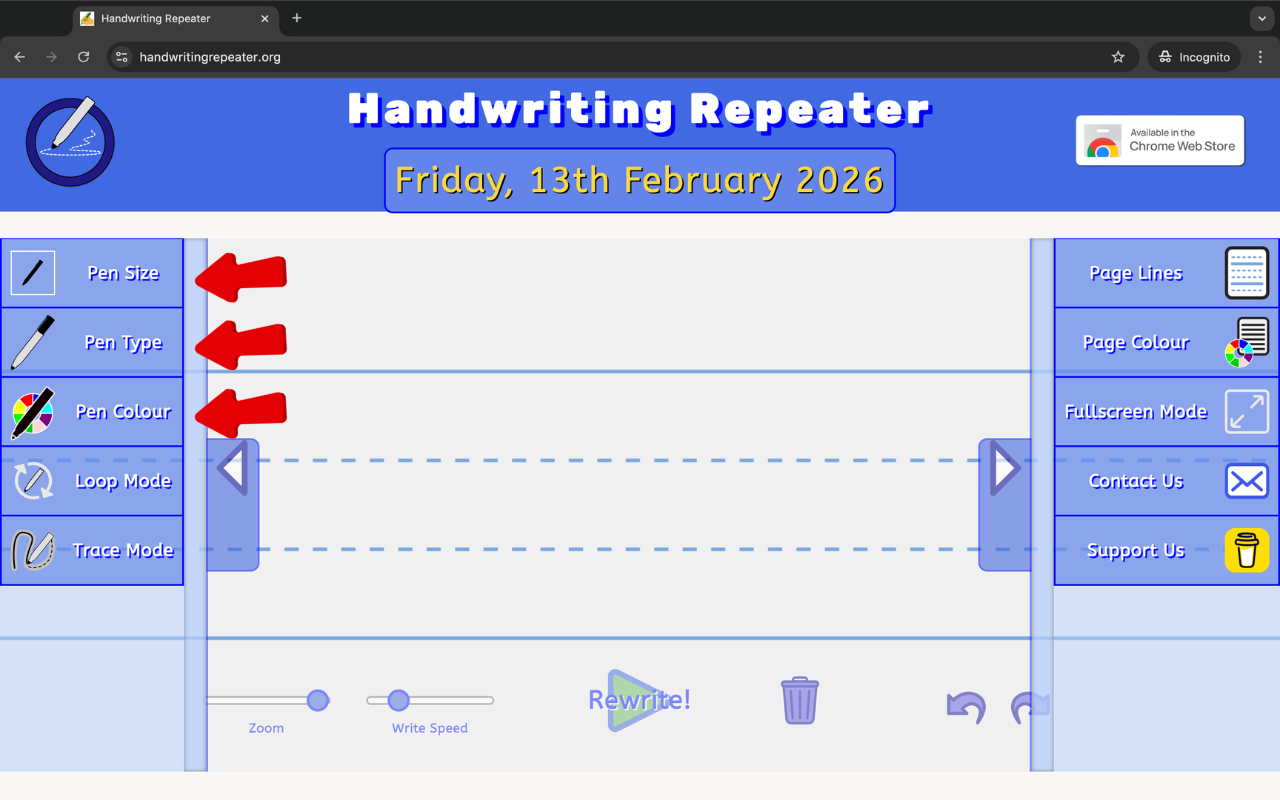
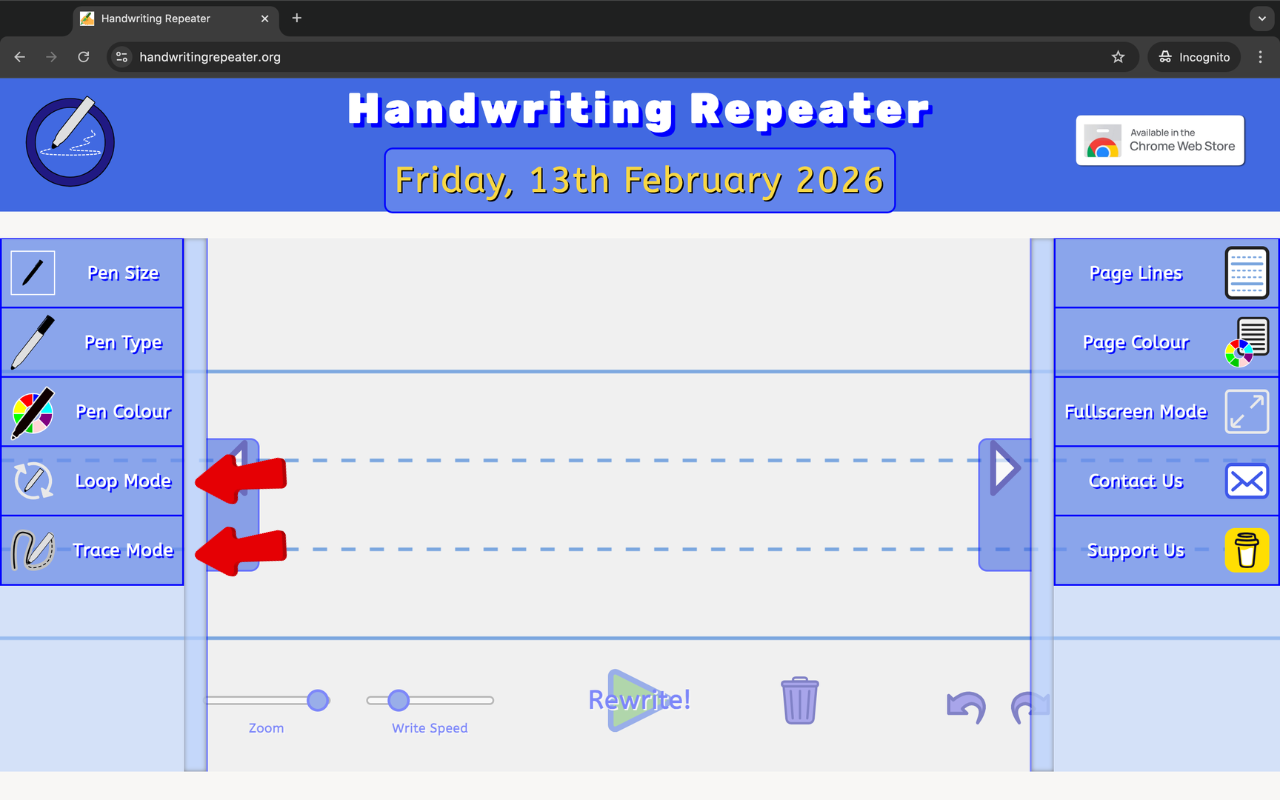
Still in the left sidebar, select your writing mode:
You can also enable Share Link to copy a URL that pre-loads your exact settings — useful if a teacher wants to send a specific practice task to students.
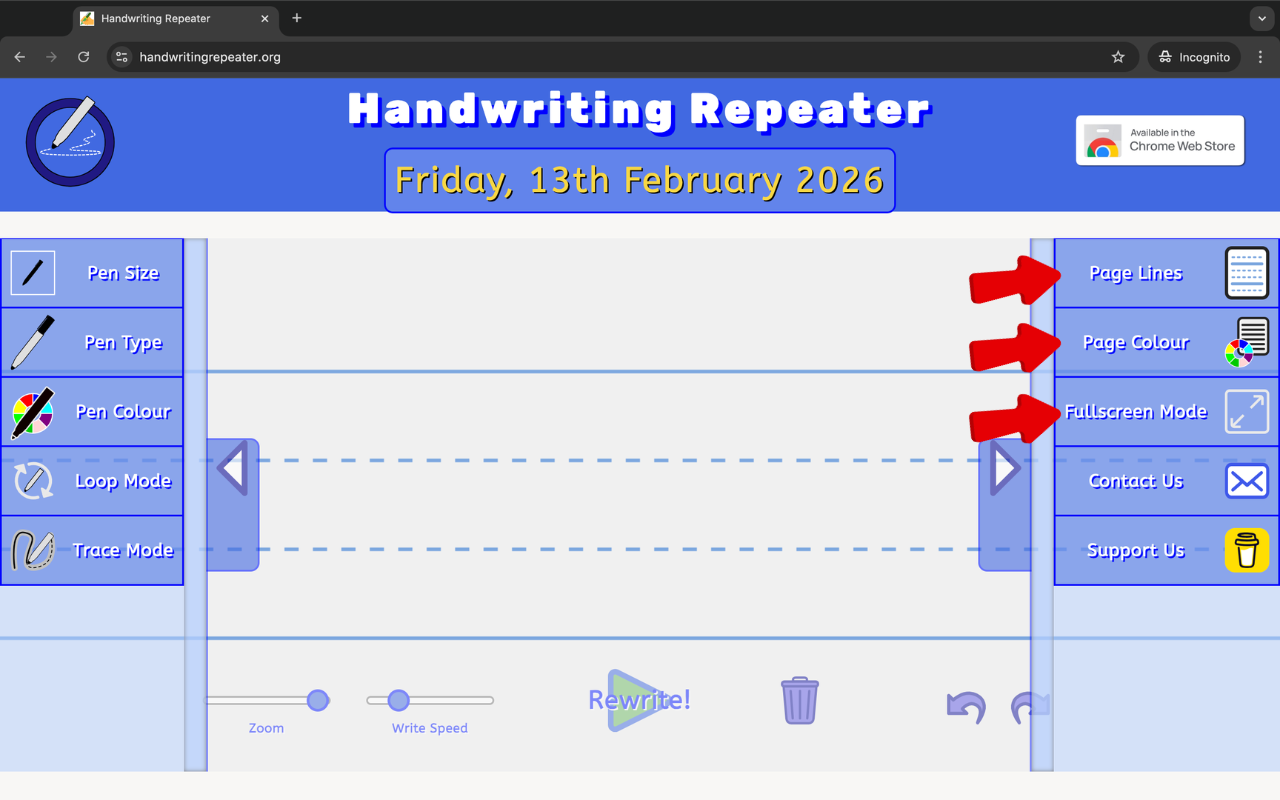
Open the right sidebar to customise the look of the page. Choose from ten Page Line styles — including dotted lines, tram lines, Montessori-style four-line guides, and plain blank. Then pick a Page Colour: white, peach, yellow, blue or blue-grey. Students with dyslexia or visual stress often find that a peach or yellow background reduces eye strain noticeably.
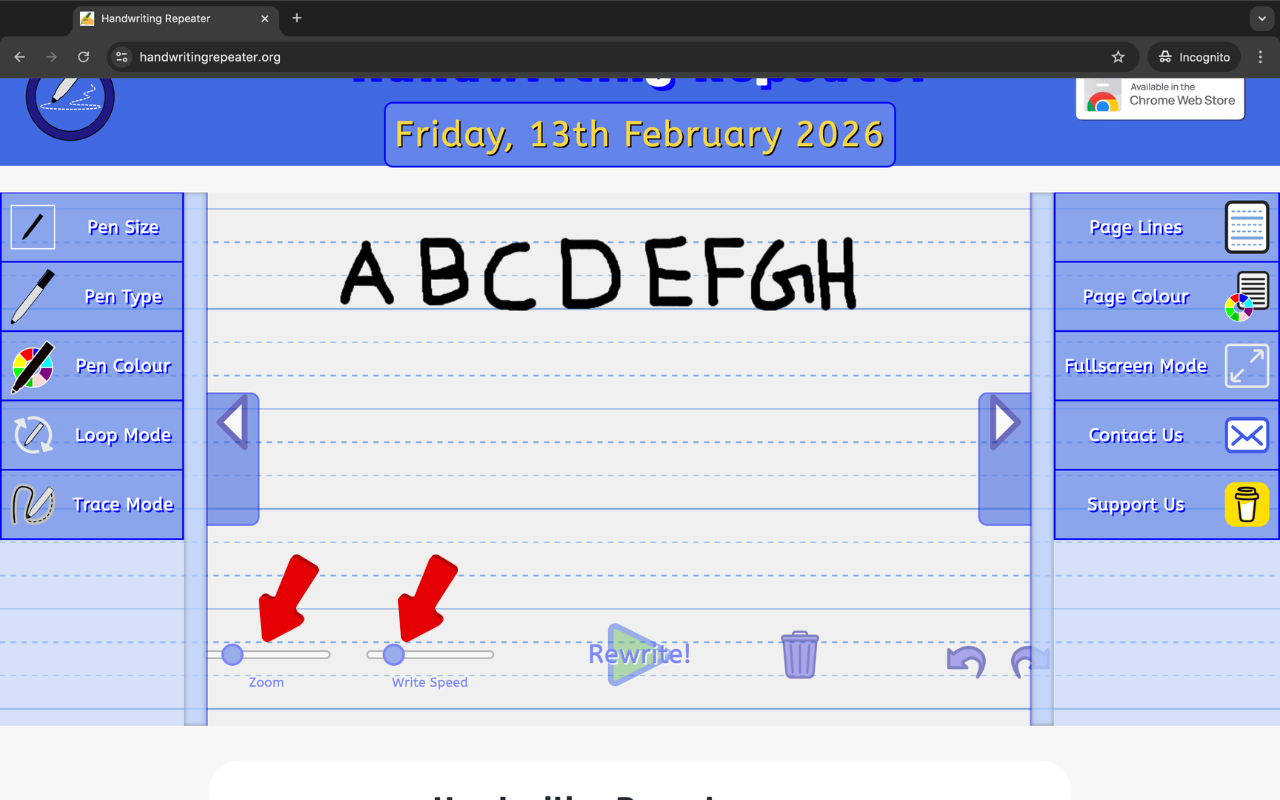
Use the two sliders at the bottom of the screen. Zoom controls how large the writing appears on the canvas — zoom in to check letter detail, zoom out to see a full page. Write Speed controls how quickly the handwriting animates: a slower speed looks more natural and is better for Trace Mode, while a higher speed generates lines faster if you simply need to fill a page quickly.
Click the Type Text button on the right sidebar to open the text panel. Type your sentence, choose how many times to repeat it, select a font style (including cursive and calligraphy options), and press Place Guide Text. Then hit the big Rewrite button and watch it go. You can also choose from preset templates — the full A–Z alphabet, numbers, cursive joins, calligraphy practice, and signature styles.
Once you are happy with the result, use the Capture menu on the right sidebar to:
If you make a mistake at any point, use the Undo/Redo buttons, or press the Trash icon to clear the canvas and start again.
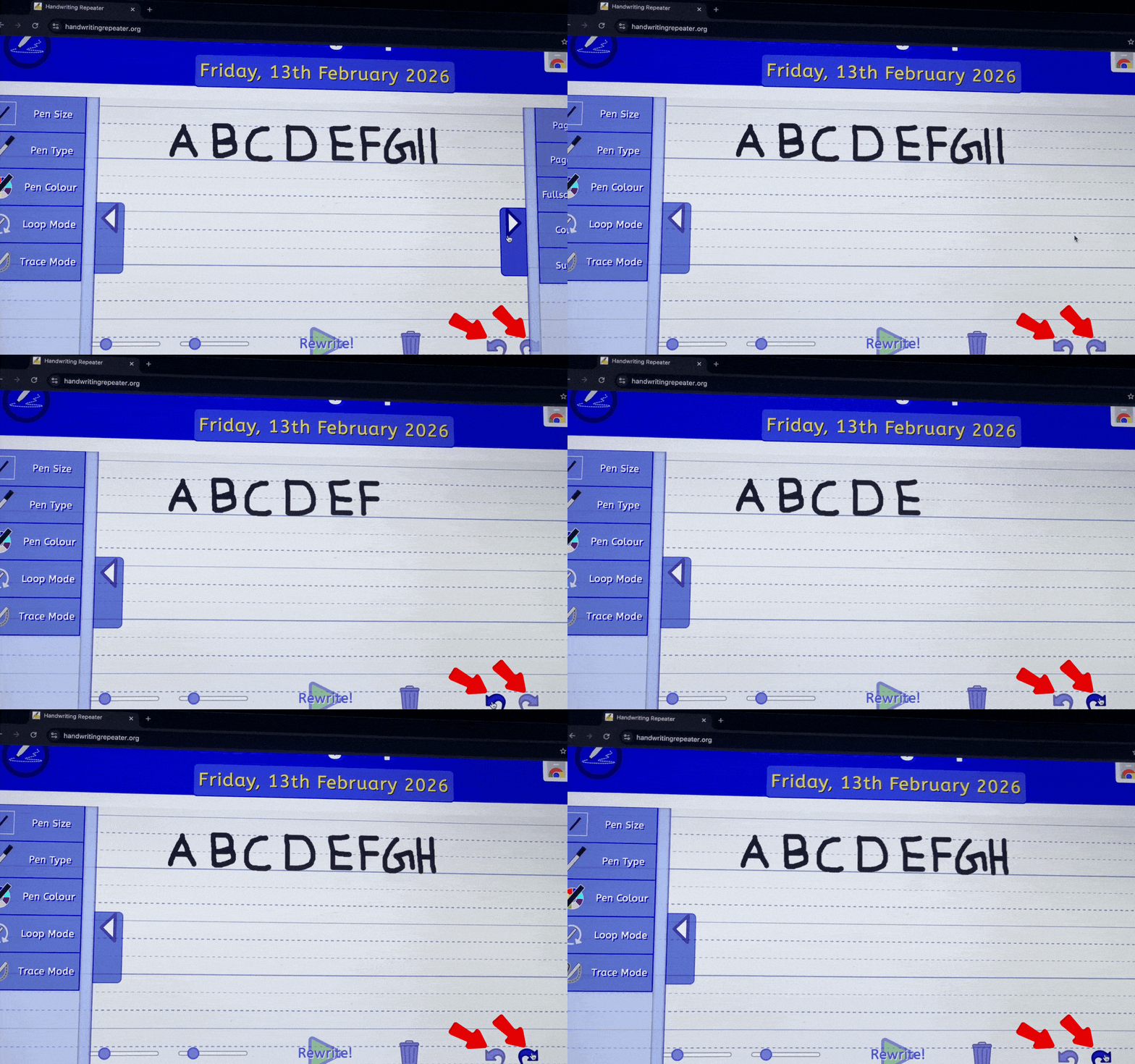
Instead of writing the same line 100 times by hand, you can generate it in seconds.

Students can use Trace Mode to practice letter formation and spacing.
Many schools give repetitive writing tasks. This tool helps students complete them faster.

By observing the writing flow, students can learn proper stroke movement and speed control.

The tool works smoothly on most modern browsers without installation.
I built Handwriting Repeater at the start of 2026. My name is Dhiraj, and I work as a front-end developer and digital marketing specialist. I spend a lot of time analysing search trends — looking at what people are genuinely searching for online but not finding a good answer to. One trend kept coming up: students and parents searching for a tool to help with repetitive handwriting tasks, particularly imposition writing set by UK schools.
During my research, I came across an open-source handwriting project on GitHub. It was a solid foundation, but it was basic — limited features, a rough interface, and not really built with students or teachers in mind. I saw an opportunity to take that starting point and turn it into something genuinely useful. I spent time modifying the core, rebuilding large parts of it, and adding features that real users actually need: Loop Mode, Trace Mode, multiple pen styles, page line options, dark mode, PDF export, the Type Text panel, and a Share Link system. I also redesigned the entire interface to be clean, intuitive, and fast — something that works just as well on a phone as it does on a classroom projector.
The goal was simple: take something that barely existed, and make it the best handwriting practice tool available online — free, with no sign-up, and built around the needs of UK students and teachers. After a week of dedicated planning, coding, testing and refining, Handwriting Repeater went live.
Since launching, the tool has been used by students and teachers across the UK, Ireland, Australia and beyond. The feedback has been genuinely encouraging — particularly from teachers who use the classroom projector integration and from parents of children with dyslexia who find the coloured page backgrounds helpful. Every feature update since launch has come directly from user suggestions.
If you have a suggestion, spotted a bug, or just want to say hello — drop me an email or use the Contact Us button in the tool. I read every message. You can also find handwriting guides and tips on the Blog.
Dhiraj — Front-End Developer & Digital Marketing ExpertHandwriting Repeater is a free online handwriting practice tool. Just write on a virtual canvas and watch your text appear one stroke at a time — almost like watching someone write it by hand. It blends old-style handwriting practice with the ease of a digital tool.
Yes — completely free. There are no subscription fees, no premium tier, and no need to create an account. Every feature on the site is available to all users at no cost, and there are no limits on how many sentences you can generate or how many times you can repeat them.
Yes. This is the most common use case. Many UK secondary schools set imposition lines — writing the same sentence 20 to 100 times — as a disciplinary task or handwriting exercise. Handwriting Repeater generates those lines quickly in a realistic handwritten style, which you can then save as a PDF or print. It saves a significant amount of time compared with writing every line by hand.
As many times as you need. The tool has no hard limit — whether that is 10, 50, 100, or 200 repetitions, it handles them all. The canvas extends automatically as more lines are added, so you never run out of space.
Yes — particularly when using Trace Mode. Tracing over guide text helps children and adults develop the muscle memory needed for consistent letter formation, correct stroke direction, and even spacing. It is not a replacement for dedicated handwriting tuition, but as a daily practice tool it is genuinely effective over time.
Yes. You can choose from three pen sizes (small, medium or large), four pen types (pen, pencil, quill and none), and eleven ink colours. All settings are adjustable at any time without clearing the canvas, so you can experiment freely until you find the right look.
Yes. The tool works in modern browsers on iOS and Android devices, as well as on desktop and laptop computers. For the best experience on a phone, use Chrome or Safari and turn on Fullscreen Mode from the right sidebar. On a tablet with a stylus, Trace Mode works particularly well for children practising letter formation.
Google Chrome gives the smoothest performance overall. Microsoft Edge and Mozilla Firefox also work very well. Safari on iOS is fully supported but may have minor differences in how the canvas behaves. We recommend keeping your browser updated to the latest version for the best results.
No. Everything you type runs entirely inside your own browser. No text is ever sent to our servers, stored in a database, or shared with any third party. When you close the tab, your text is gone. Your data stays completely private at all times.
No. Handwriting Repeater is entirely browser-based. There is no app to install, no software to download, and no account to create. Just open the website in any modern browser and it works immediately — on any device, anywhere.
Loop Mode automatically repeats your sentence continuously across the canvas until you press stop. The writing fills each line from left to right and moves down the page, just as if someone were writing it by hand. It is the fastest way to fill a page with repeated writing, and is ideal for imposition tasks or bulk handwriting practice sessions.
Trace Mode places a faded version of your guide text on the canvas for you to trace over with your finger or a stylus. It is designed to help children and students practise correct letter shapes, stroke direction, and consistent sizing without needing printed worksheets. It works especially well on tablets and touch-screen laptops.
Yes. The Write Speed slider at the bottom of the screen controls how quickly the handwriting animates. Slower speeds create a more natural, realistic handwritten appearance and are better for demonstrating stroke order to children. Faster speeds are useful when you simply need to fill a page with repeated lines as quickly as possible.
Yes. Teachers can type a specific word or sentence, configure the line style and pen settings to match their classroom requirements, and export the result as a PDF for printing or digital distribution. The Share Link feature lets teachers send a pre-configured task directly to students — the link opens the tool with all the settings already in place and ready to go.
Yes. The tool requires no personal information, no account creation, and no parental consent to use. It contains no chat features, no user-generated content feeds, and no social elements of any kind. It is safe for children to use independently at school or at home, and we comply fully with UK GDPR.